Finlay Sheikh
Published on: 10.11.2026
Published at: 17.11.2026
Reading time: 2 minutes
How do I find my Government Gateway User ID?
If you remember creating a Government Gateway account but don’t remember your user ID, don’t worry, we’ve all been there. We’re here to help.
Finlay Sheikh
Published on: 10.11.2026
Published at: 17.11.2026
Reading time: 2 minutes
If you’ve forgotten your User ID
There are a couple of things you can do if you don’t remember your Government Gateway user ID or password. These include:
- You can call HMRC on 0300 2003600
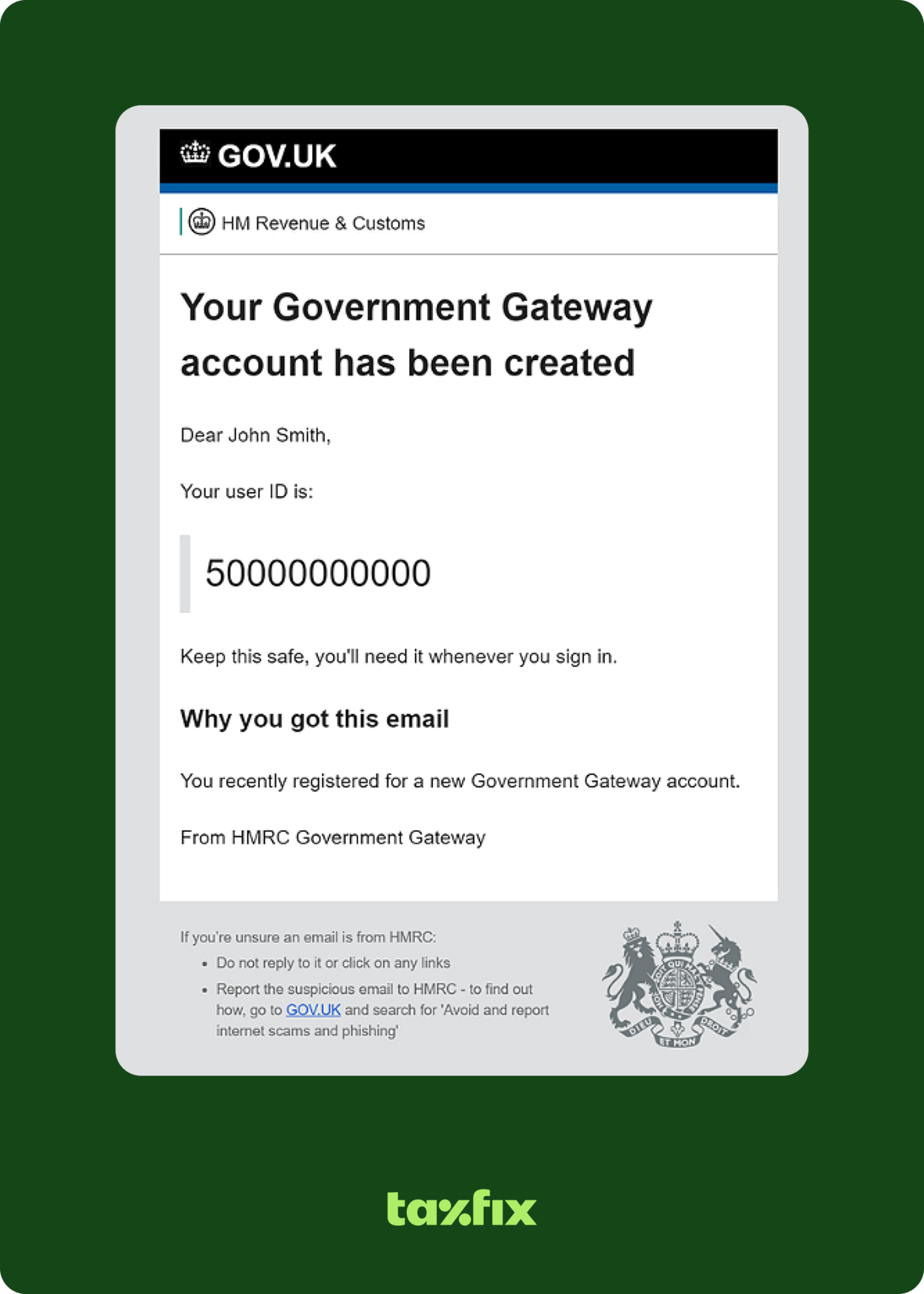
- Or, you can search your email inbox for an older email from HMRC that looks like this:
Now what exactly is it that you’re looking for? Any old emails that have come specially from HMRC’s Government Gateway services. It might be deep in your emails or potentially even your junk/spam mail. A quick search in the search bar should clear it up for you. It’ll look like the below.
From: Government Gateway serviceSubject: Government Gateway User ID
If you’ve forgotten your password
Resetting your password is quite straightforward. You can reset your password here , through HMRC.
You will need:
- your Government Gateway User ID
- your email address (the same one you used to create the account in the first place).
What do I do if I want to create a new User ID?
You can definitely create a new user ID if you’d like.
You can head to this guide we’ve written and skip to step 4 for details. It’ll explain how to set up your Personal Tax Account. Remember, you’ll need even more information like your National Insurance number. Pro tip – make a checklist after reading our guide!
You might want to use another login entirely…
The Government Gateway, an HMRC digital service, was officially shut down in March 2019.
Currently, you can still create a new account or recover your old one. There hasn’t been any further announcements from HMRC confirming when access to your Government Gateway accounts will stop completely.
Just in case they do stop access quicker than you’d like, we recommend you sign up for one of the following government services instead. Plus, the sooner you do it, the less stress you need to prepare for. The two digital services are:
Need a hand?
If you’re trying to get your taxes sorted and need a hand with your Government Gateway account, don’t hesitate to get in touch! Our friendly support team is happy to help. You can reach them on [email protected] or via the live chat on the homepage.